Center Dashboard, Menus, and Meal Counts
How Do I Manage Overdue Records in the MFC Dashboard?
- Log in to MyFoodCloud.
When you log in, you’ll be directed to your dashboard, where you can quickly see any overdue or unapproved records.
- View Pending E-Forms.
Click Enrollment to see the breakdown of free, reduced, paid, and pending enrollments.
- Resend Parent Invites for Pending E-Forms.
Under Enrollment, click Pending.
Check the box next to the child’s name (or use the select-all button).
Click the phone icon to resend the invite. Parents will get both a text and email alert.
- View & Send Invite for Expired Enrollments.
Under Enrollment, click Expired Enrollments.
Check the box next to the child’s name.
Click the phone icon to resend the e-form invite.
- See Overdue Meal Counts & Attendance.
Click Meal Counts & Attendance to see any overdue meal records.
Use the checkbox to select overdue days, then click the tablet button to take or update overdue meal counts.
- View Unapproved Menus/Meal Production Records.
Click Daily Menus from the dashboard. Click Pending Menu Approval.
Use the checkbox to select menus and click the thumbs-up button to approve the meal production record.
- Check Disallowances.
Under Daily Menus, click Disallowances to see any disallowances due to insufficient quantities or other issues.
8. Check for pending or overdue Time Distribution Reports that still need to be completed by supervisors.
Under Time Distribution Report, click Pending Supervisor Approval to see if any TDRs are needing a supervisor’s signature. Use the checkbox to select pending TDRs and click the thumbs-up button to approve them.
Complete or Update TDR on TDR page and save/submit.

9. Check for Time Distribution Reports that still need to be completed by employees.
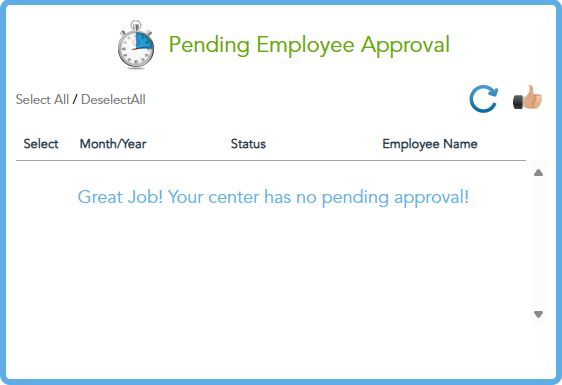
Under Time Distribution Report, click Pending Employee Approval.
Complete or Update a TDR. ,Click on the staff member’s name or the specific TDR you need to complete. Enter the required time allocations between CACFP administrative and operational tasks for each day or week, as required. Save and Submit.
10. Confirm that the TDR status changes from pending to complete.