
How Do I Resend E-Form Invites to Parents in MFC?
- Log in to MyFoodCloud and click your username at the top right of the screen to access your Quick Snapshot Dashboard.

- In the dashboard, click on Enrollment.

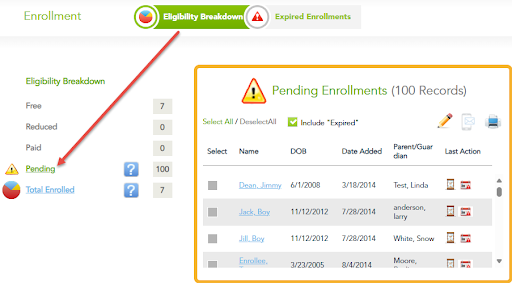
- Under Eligibility Breakdown, click the Pending section.
- Click the Select All button to select all pending enrollees who still need to complete their E-Form. Select the checkbox if you also want to include “expired” enrollments.
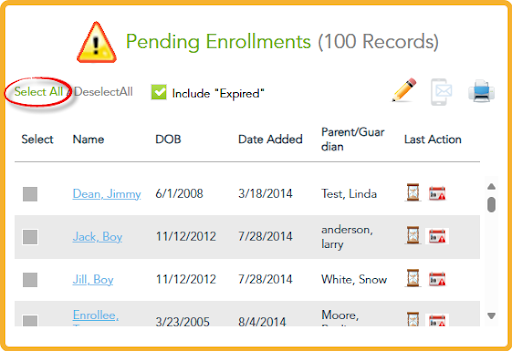
- Click the Phone Icon to send E-Form alerts via text and email to the parents.

- MyFoodCloud will automatically send the E-Form invites to all selected parents.