
Why Milk Tracking Is Important
MyFoodCloud, our CACFP Software, is the most user-friendly CACFP software available – and now, it includes milk tracking!
Since the Texas Department of Agriculture (TDA) closely inspects milk purchases during administrative reviews, staying on top of your milk records each month is essential.
How Milk Tracking Works in MyFoodCloud
With this new feature, you can easily ensure that the amount of milk you purchase matches what you serve on your daily meal production records. For every gallon served, you’ll need a receipt showing you bought that much milk. MyFoodCloud now helps you track this effortlessly!
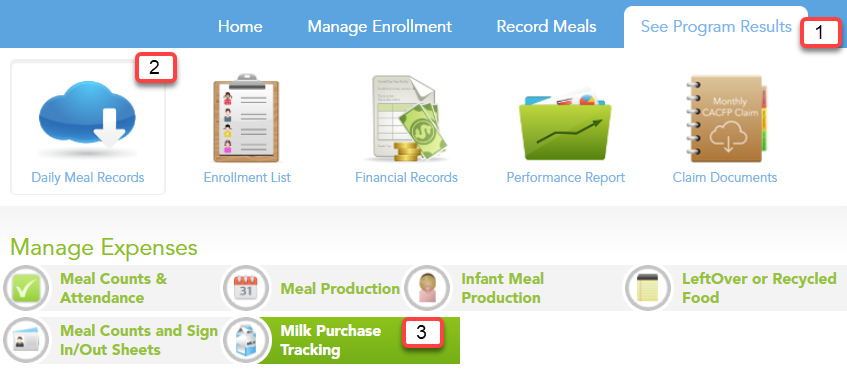
To access this feature in the software, go to See Program Results>Daily Meal Records. Select Milk Purchase Tracking.
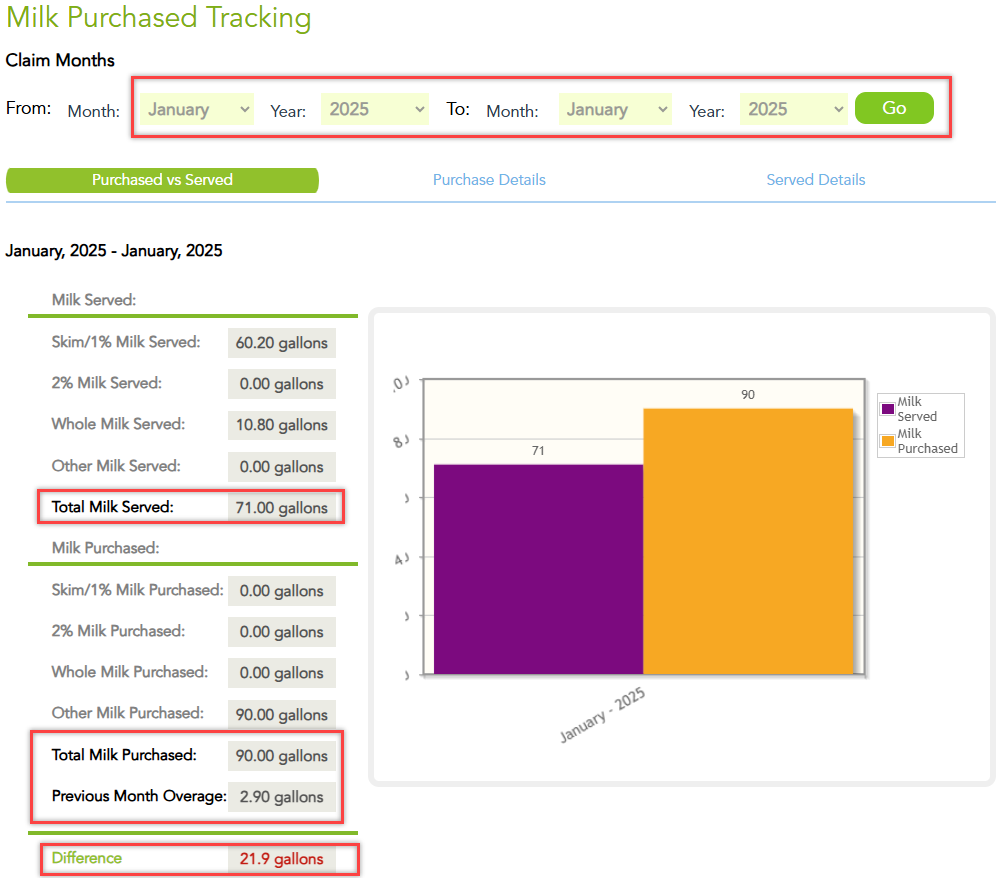
Choose a date range. Pick one month for a quick snapshot, or select multiple months for a broader view. Click GO!

What you’ll see:
- Milk Served – A breakdown from your daily meal production records
- Milk Purchased – Totals from your receipts (updated monthly from Zoho Expenses)
- Previous Month Overage – Any extra gallons carried over
- Difference Field – Your month’s total milk overage or shortage (including any carryover)
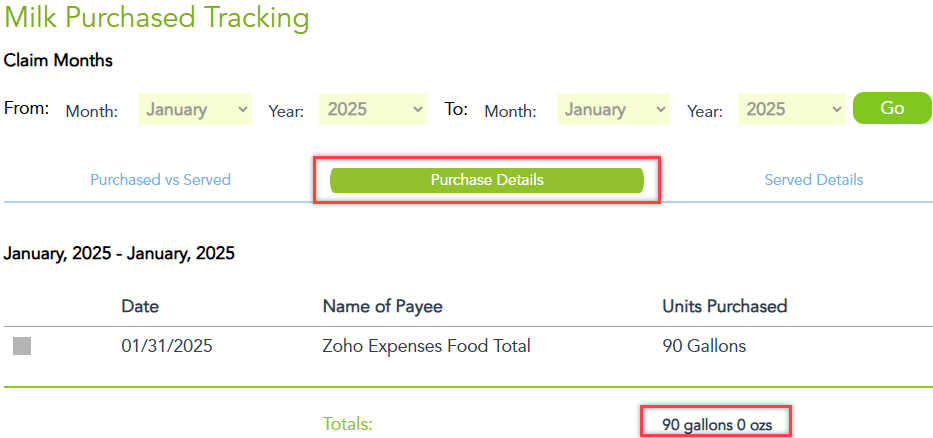
The Purchase Details tab shows total gallons of milk purchased on receipts.
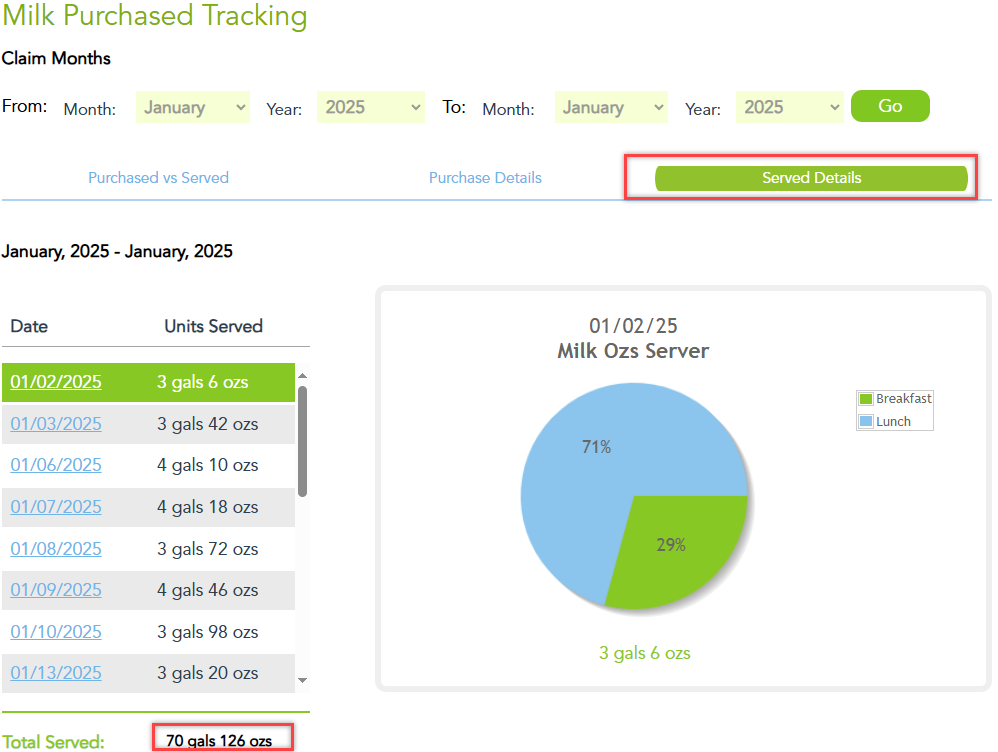
The Served Details tab displays a breakdown of milk served on daily meal production records.
Make Your Next Administrative Review a Breeze with Milk Tracking
Take the guesswork out of milk tracking and make your next administrative review a breeze with this powerful new feature in MyFoodCloud. It’s a game-changer for your food program!