
New CACFP applicants in Texas must complete TDA’s introductory training before the Texas Department of Agriculture will review the application. The training is free, takes approximately one hour, and is completed once. This article covers how to access it, what to enter, and how to save the required certificate.
Before you begin
- The video runs 46 minutes and 43 seconds and cannot be skipped forward. The progress bar does not advance by dragging, and the Next button remains disabled until the presentation finishes.
- The organization’s legal name is required, spelled as registered with the Texas Secretary of State.
- A computer is recommended. A certificate must be printed or saved at the end.
- The presentation is narrated. Captions display on screen throughout for those who prefer to read.
Step 1 — Open the training
The training is located at TDA’s CACFP Application Process training. It opens in a web browser. No installation, account, password, or payment is required.
Step 2 — Enter name and organization
The first screen requires two fields: Name of Organization and Your Name (Last, First). Complete both, then select Next.

The entries print on the certificate exactly as typed. Match the organization’s legal name to its Secretary of State registration and to the intake form.
Step 3 — Complete the presentation
The video takes a few seconds to load and then plays automatically. Controls at the bottom of the player provide pause, replay, volume, playback speed, and full screen.
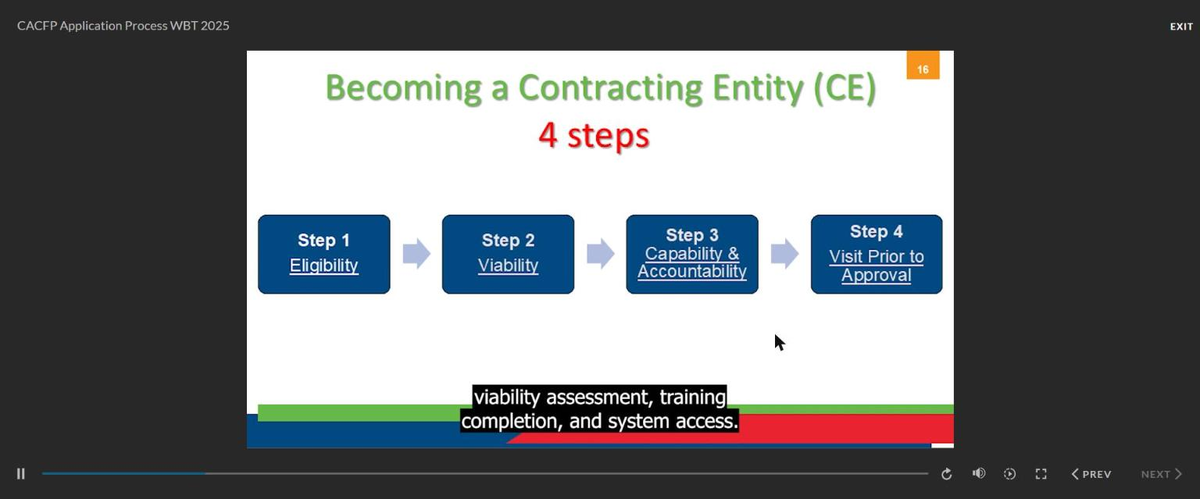
The training may be stopped and resumed. Closing the window and returning to the same link in the same browser presents Resume or Restart. Resume continues from the last position. Clearing browser history or using a different computer clears the saved position.

Step 4 — Save the certificate
When the presentation ends, Next becomes active and opens the Certificate of Completion, populated with the name and organization entered at the start.
The certificate is not saved automatically. TDA displays the following notice on the certificate screen: “Certificates will not automatically save. Please print or manually save the certificate of completion for record-keeping purposes.”
Print the certificate to PDF or capture it as an image before closing the window. If the window is closed without saving, the certificate cannot be retrieved and the training must be completed again.
Step 5 — Submit the certificate
Send the saved certificate to help@cacfpsolutions.com. It is submitted to TDA with the organization’s financial documents when the Financial Viability Team requests them during Step 2 of the application. A copy is retained on file.
Common questions
Is there a test?
No. The training contains no quiz, test, or score. It is a single recorded presentation.
Can the video be fast-forwarded?
No. The progress bar does not advance by dragging and the Next button remains disabled until the presentation plays through in full.
What if the certificate is lost?
The training may be completed again, or TDA’s Food and Nutrition training team may be contacted at FND.Training@TexasAgriculture.gov or (877) 839-6325 regarding a reissue.
Is the training required annually?
No. This training applies to new applicants and sponsors as part of the application. Annual staff training requirements for operating contracting entities are separate and are covered in the Training FAQ.
What does the training cover?
The CACFP, the four steps to becoming a contracting entity, management plan requirements, documentation required of new applicants, and administrative reviews. TDA also identifies the errors that most frequently delay applications, including mismatched legal names, an inactive UEI, incomplete financial documents, and management plans lacking sufficient detail.
Questions
Contact CACFP Solutions at help@cacfpsolutions.com if the training will not load or if you are unsure what to enter.