
You received CACFP reimbursement. Can your records show the allowable program expenses that support it? If you are being asked to complete a Financial Sampling Tool, that is the financial picture you need to put together.
Having receipts and bank statements is a start. You also need to know which expenses belong to CACFP, how much of each expense can be counted and how those documented amounts compare with the reimbursement received.
What is the Financial Sampling Tool?
The Financial Sampling Tool (FST) collects actual CACFP income, operating expenses and administrative expenses for the program year requested by TDA. When it is part of your review request, use the supplied tool and instructions. Budget estimates are not substitutes for actual financial data.
The tool brings figures together; the underlying records explain and support them.
Do your documented expenses account for the reimbursement?
Start by comparing the reimbursement received with the allowable program expenses your records support, taking other program income into account. If the figures leave a gap, identify why: missing records, costs that cannot be counted, an unresolved shared expense or money not yet spent.
For Texas independent centers, reimbursement must not exceed net program costs—costs after accounting for other program income. Unused-funds rules also apply. This is not an instruction to force every month’s figures to equal zero.
Example: a grocery-store payment appears on the bank statement. The itemized receipt identifies what was purchased. The accounting entry identifies how the purchase was recorded. If items served both CACFP and another activity, supporting calculations explain the program’s share. A bank payment alone does not answer all those questions.
Where should you start if that work isn’t complete?
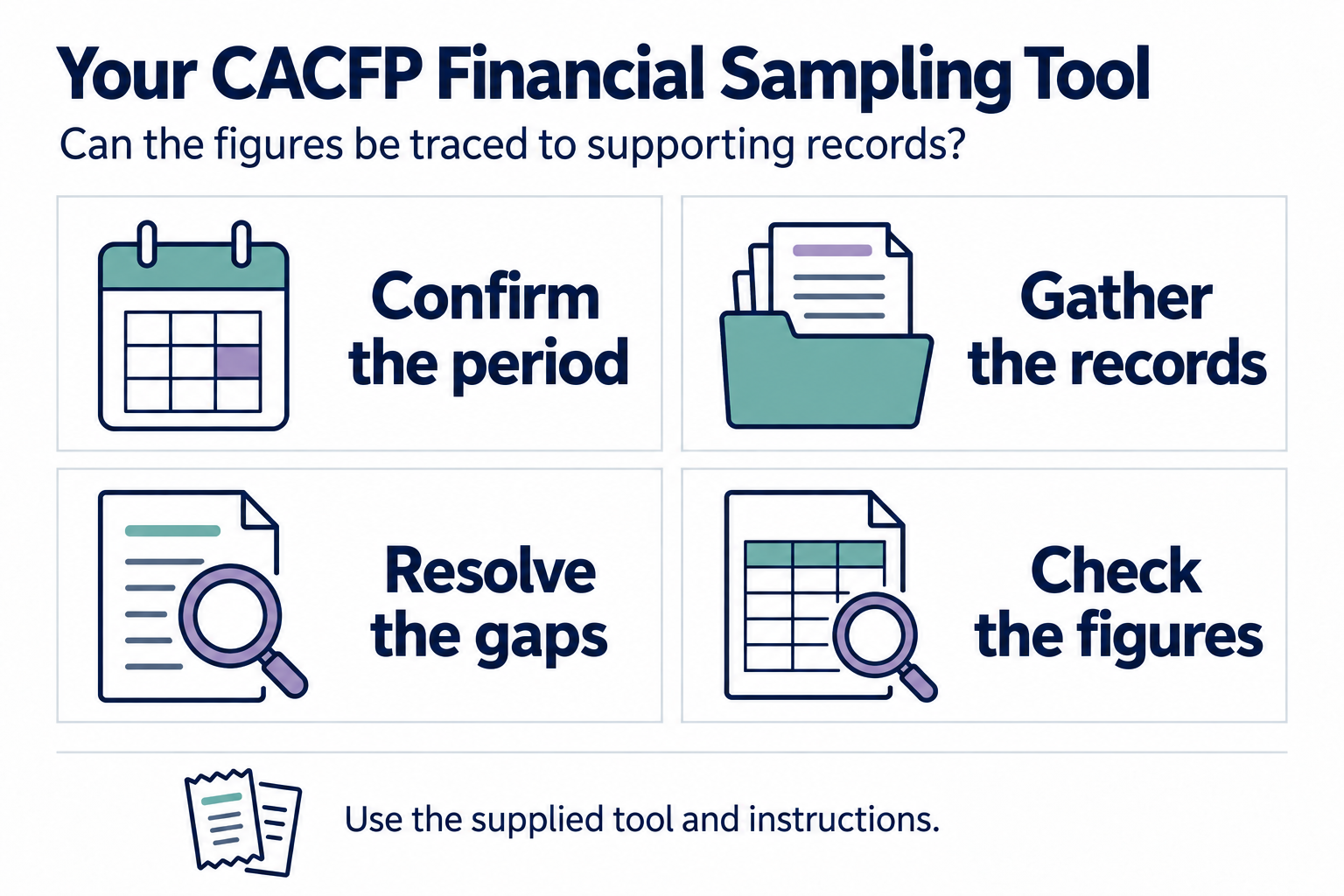
Our recommended starting sequence:
- Confirm the period and deadline. Read the actual request. Identify the program year, any additional periods and the date the response is due.
- Gather the records already available. Include reimbursement and other income records, accounting detail, bank and credit-card statements, receipts, invoices, labor support and any existing expense summaries.
- Identify which periods are complete. Separate periods with supported income and expense totals from periods needing investigation. List missing documents, unexplained entries and shared costs whose CACFP share is unresolved.
- Resolve the gaps with supporting evidence. Retrieve legitimate copies, investigate differences and document necessary accounting corrections. Keep an explanation of changes rather than altering records simply to make totals agree.
- Check the figures against the tool’s instructions. Confirm that the figures cover the requested period and categories and can be traced to their support. Ask the reviewer about unclear instructions.
Use Your Financial Reports and Supporting Records if the requested report names are unfamiliar.
What if supporting records are missing?
Identify the missing record and ask the original source for a copy. If it cannot be retrieved, describe the gap and ask the reviewer how to address it. An estimate, a bank transaction or a newly created summary should not be assumed to replace the evidence requested.
Tell the reviewer promptly if a gap may affect your response. Follow the notice’s deadlines; do not assume that asking for help extends them.
Don’t wait for the FST to check your expenses
Our recommendation: check documented expenses against reimbursement each month, and review actual spending against the approved budget at least quarterly. Use both the current period and year-to-date figures so an unresolved gap does not disappear from view when the next month starts.
- Group expenses by budget category. For example: food, program labor, supplies and purchased services. In QuickBooks or another accounting system, set up the categories so you can identify the CACFP share and compare it with the budget. The “chart of accounts” is simply the list of bookkeeping categories.
- Run a report of actual expenses. Check the amounts against the supporting receipts, labor records and calculations for shared costs. Entering a cost under a category does not make it allowable.
- Make two comparisons. Compare supported allowable expenses with reimbursement and other program income. Then compare spending in each category with the approved budget for the same period.
- Act on differences while there is time. Retrieve missing support, correct errors, review spending plans and seek required budget amendments or approvals when actual operations differ from the plan.
A later budget change does not create a missing receipt, establish undocumented labor or make an unallowable expense allowable. Unsupported or unallowable costs can lead to repayment obligations. Regular checks help you identify the problem while you can still address the underlying records and program decisions.
If the FST reveals a problem, act on it
Preparing the FST can show that actual spending has moved away from the approved budget or that expense records are incomplete. Use that discovery to address the problem promptly. Seek the necessary budget amendment or approval, correct supported accounting errors and retrieve missing documentation.
Our recommendation: keep a short record of what you found, what you changed, when you changed it and the evidence supporting the correction. Include the person responsible for the ongoing checks and how often those checks will happen.
That gives you a concrete explanation for the reviewer:
- The issue: the specific difference or documentation gap you identified.
- The action: the correction made, or the amendment submitted, with its date and supporting evidence.
- The prevention: a named person checks expenses against reimbursement monthly and reviews actual spending against the budget quarterly.
Clearly distinguish a submitted amendment from one that has been approved. Explain any items still unresolved. A proactive correction and an operating prevention process give the reviewer evidence of what you have done; the reviewer determines whether that response is sufficient.
If a formal finding follows, use the same evidence in your corrective-action response and follow the notice’s instructions. A budget amendment does not erase a past unsupported or unallowable cost.
Where can CACFP Solutions help?
CACFP Solutions can help you review whether the records account for the reimbursement and identify unfinished periods or missing support within an agreed scope. Our monthly services process the receipt and labor records your team supplies; budget support and amendments depend on the service plan and agreed work.
Historical transaction entry, accounting checks and financial-system cleanup require a separate scope discussion. Review-preparation projects have existing-client eligibility requirements. We can discuss which ongoing or project support fits your records and deadline.
Bring your review notice, FST, deadline, available records and a list of unfinished periods. That allows us to discuss the work and responsibilities for your situation. Your organization remains responsible for accurate records and meeting the reviewer’s deadlines.
Discuss your FST and financial-record needs with CACFP Solutions. For ongoing expense checks, see monthly claims and expense-processing support.
For organizing the submission, use the review paperwork guide. Return to Learn CACFP: Program Reviews & Corrective Action.
Sources and scope
Checked October 8, 2026. TDA CACFP Handbook, Section 5000 (March 2026), §§5240, 5270 and 5290 describes the FST, review findings and corrective-action responses. Section 7000, §§7100, 7330, 7420 and 7430 addresses financial controls, unused funds, unallowable costs and budgeting. Examples, the preparation sequence and monthly/quarterly checks are our practical recommendations. Use the supplied FST for its fields and instructions.